 blog
blog
Purchase K9 Unit Management Software: 2026 Buyer's Guide
Table of Contents
- Why K9 Unit Software Matters for Compliance and Liability Protection
- Essential Features to Compare Before You Purchase K9 Unit Management Software
- Best Practices for K9 Training Documentation
- Court-Ready K9 Training Reports and Legal Admissibility
- What to Expect in a K9 Unit Compliance Software Demo
- Pricing, Implementation, and Integration Questions to Ask
- Conclusion
- Frequently Asked Questions
Last Updated: September 10, 2026
Why K9 Unit Software Matters for Compliance and Liability Protection
When a K9 deployment ends in an arrest, a use-of-force review, or a courtroom challenge, opposing counsel asks for your documentation first. Without a clean, timestamped training and deployment record, the dog's reliability becomes arguable, and that is where cases fall apart. This guide from Trakker covers how to purchase K9 unit management software that survives that scrutiny, not just software that looks good in a demo.
K9 unit management software is a records system built specifically for police and working-dog teams that centralizes training logs, deployment records, certification tracking, and veterinary health records in one auditable database. (ojp.gov) Spreadsheets and paper binders store the same information but cannot prove chain of custody or produce a court-ready report in minutes.
The stakes are practical: a single missing training entry can undermine a narcotics detection alert in a suppression hearing. Liability protection starts with documentation you can hand to a prosecutor without editing it first.
Essential Features to Compare Before You Purchase K9 Unit Management Software
The features that matter most are tied to your legal exposure: training logs, deployment records, and certification tracking. When you purchase K9 unit management software, score vendors against these three first, then evaluate convenience features.
Training Logs, Deployment Records, and Certification Tracking
Training logs should capture date, duration, discipline, handler, and outcome for every session, including narcotics detection, explosives detection, and search and rescue. Deployment records need GPS field details, incident context, and supervisor sign-off. Certification tracking must flag expiration dates automatically so a dog never deploys on a lapsed certification.
Ask vendors one question: can a supervisor pull a single dog's complete history, from initial training curriculum through last night's shift, in one report? If the answer involves exporting to a spreadsheet and merging files, keep looking.
Mobile App Access and Real-Time Synchronization
Handlers work in the field, not at a desk. Mobile access with real-time synchronization means a deployment record gets logged at the scene, not reconstructed from memory three days later, the biggest weakness in K9 record-keeping, and the easiest to fix.
Check whether the mobile app works offline and syncs when connectivity returns. Rural deployments and basement searches both kill signal.
| Feature Area | What to Verify | Why It Matters |
|---|---|---|
| Training logs | Discipline-level detail, searchable | Proves reliability history |
| Deployment records | GPS field details, supervisor sign-off | Supports incident reporting |
| Certification tracking | Automatic expiration alerts | Prevents lapsed-certification deployments |
| Mobile app | Offline capture, real-time synchronization | Records made at the scene, not from memory |
| Reporting | One-click court-ready export | Reduces discovery prep time |
Best Practices for K9 Training Documentation
Documentation discipline beats documentation software. These best practices are simple, but agencies skip them constantly.
- Log every session the same day, even brief ones. Consistency matters more than detail.
- Record failures and corrections, not just successes. A record showing only perfect scores looks fabricated.
- Standardize terminology across handlers so a narcotics detection log reads the same from every officer.
- Attach supervisor oversight to certification milestones, not just annual reviews.
- Keep veterinary health records linked to deployment eligibility.
A common mistake is treating training logs as a compliance chore rather than an operational asset. The agencies with the cleanest records use them to plan training, not just satisfy an auditor.
Court-Ready K9 Training Reports and Legal Admissibility
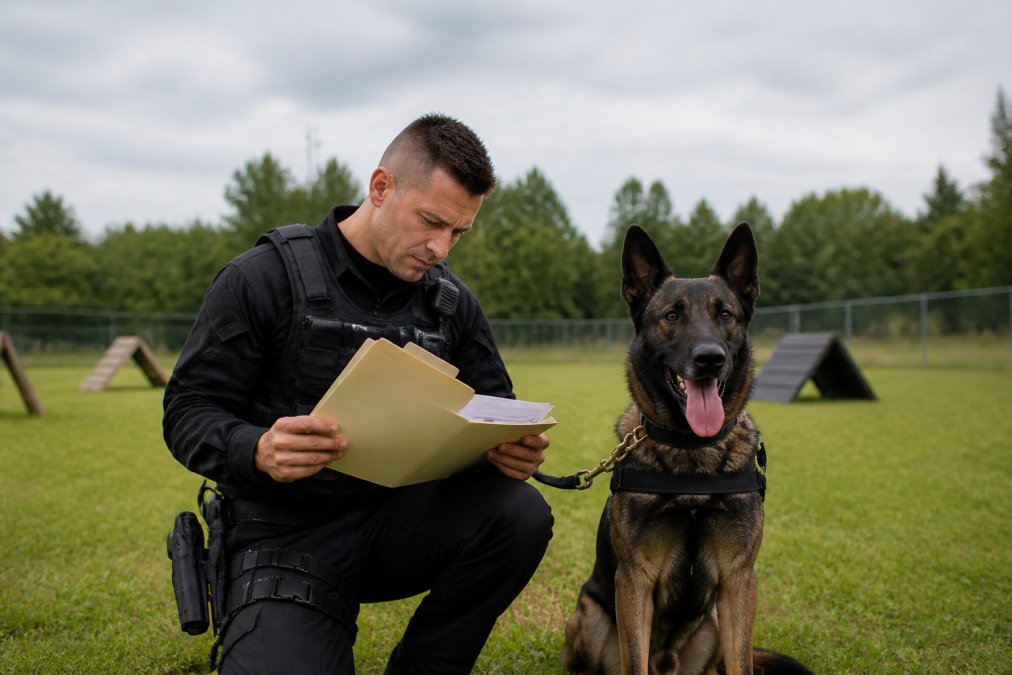
Court-ready K9 training reports must survive a Daubert-style reliability challenge without a handler explaining them from memory (uscourts.gov). Legal admissibility depends on three things: an audit trail showing who entered what and when, records that cannot be silently edited, and reports formatted for courtroom testimony.
Most software fails here: it stores data fine but produces output that reads like a database dump. Report format matters as much as the data, a prosecutor needs a clean timeline of training and certification, not a raw export.
Look for automated reporting that generates a defensible document with an audit trail attached. Trakker builds this in, generating court-ready reports directly from tracked training, deployments, and certifications, with ANSI 076 standards built in for compliance visibility.
What to Expect in a K9 Unit Compliance Software Demo
A K9 unit compliance software demo should be a working session against your real scenarios, not a slide deck. Before the demo, send the vendor two or three actual situations: a contested narcotics alert, a lapsed certification discovered mid-shift, a multi-dog deployment with two handlers and one supervisor. Watch how the system handles them live. If the vendor pivots to slides when you ask a hard question, that is your answer.
Build a Scenario Script Before the Demo
A demo without a script becomes a feature tour. Write down the exact clicks you need to see and time the vendor against them:
- Contested alert: Pull one dog's complete training and deployment history for the last 12 months, filtered to narcotics detection, and export a court-ready report with the audit trail attached. Time it. If it takes more than a few minutes, discovery prep will take hours.
- Lapsed certification: Set a certification to expire in 48 hours and confirm the system flags the handler, the supervisor, and the scheduling queue before the dog deploys. Ask what happens if the flag is ignored.
- Multi-dog deployment: Log a single incident involving two dogs, two handlers, and one supervisor sign-off. Confirm the record links correctly and that neither handler can edit the other's entry.
- Offline capture: Put the mobile app in airplane mode, log a training session, then restore connectivity and confirm the sync. Ask what happens if two devices edit the same record offline.
- Supervisor audit: Have a supervisor pull every record a single handler touched in the last 90 days and identify any entry edited after the fact.
Questions That Separate Real K9 Platforms from Generic Field-Service Tools
Many vendors pitching "K9 management" are repurposed work-order or asset-tracking platforms. These questions expose the difference:
- Does the training log support discipline-level structure (narcotics, explosives, tracking, apprehension, SAR) with separate certification cycles per discipline?
- Can a single dog be assigned to multiple handlers across a career, with continuity of training history preserved?
- Does the system distinguish between a training find and a real-world deployment in reporting, or does it flatten them into one record type?
- Are veterinary records linked to deployment eligibility, so a dog on medical restriction is automatically blocked from assignment?
- Does the audit trail capture the original value, the new value, the user, the timestamp, and the reason for any edit?
Ask to See the Mobile App on a Phone, Not a Laptop
Ask to see the mobile app on a phone, not a laptop, and ask the handler on your team to drive it. Ask how a supervisor audits a handler's records from a desktop. Ask what happens when a certification expires mid-shift and the handler is already on the road. If the vendor cannot show you live, they cannot support you live.
Score the Demo, Don't Just Watch It
Score each scenario before the demo ends, while details are fresh. A 1-5 scale across four categories works: does it work live, how many clicks, does the audit trail hold, and would a handler use it unprompted. Vendors who score well on the first three but poorly on the fourth will produce clean records for a month, then drift back to paper. Documentation discipline is a software problem only if the software is faster than the alternative.
Red Flags in a K9 Software Demo
- The vendor cannot show a real audit trail, only describes one.
- The "court-ready report" is a PDF export of a database table with no certification summary.
- The mobile app requires connectivity to save a record.
- Certification expiration is a manual report a supervisor has to remember to run.
- Every question about RMS integration is answered with "we can build that."
A demo that survives this script tells you more than a feature comparison matrix ever will.
Pricing, Implementation, and Integration Questions to Ask
Pricing depends on handler count, deployment scope, and modules selected, so get a written quote tied to your actual team size rather than a generic tier. Ask about per-handler cost, renewal terms, and fees that appear after year one. Trakker offers a free trial, so you can test before committing. Pricing information is available on the Trakker website.
Pricing Models You Will Encounter
K9 management software is sold under three common models, and the model matters more than the sticker price:
- Per-handler subscription: billed monthly or annually per active handler. Simple to budget, but costs scale linearly as the unit grows, and part-time or reserve handlers still count.
- Per-dog subscription: billed per working dog. Better fit for units where dogs outnumber full-time handlers, but awkward when a dog rotates between handlers.
- Flat agency license: a single annual fee regardless of headcount. Predictable, but usually priced for larger agencies and can be hard to justify for a small unit.
Ask which model applies when a handler leaves mid-year, when a dog is retired, and when a reserve handler fills in for a shift. Those edge cases are where the real annual cost lives.
Implementation Timeline and What It Actually Involves
A realistic implementation for a mid-sized unit runs in phases, not a single cutover: (nij.gov)
- Discovery and configuration, mapping your disciplines, certification cycles, and rank structure into the system.
- Data migration, moving historical training, deployment, and certification records from spreadsheets, paper logs, and any legacy system.
- Pilot with one handler and one dog, running live for a few weeks before opening it to the unit.
- Unit-wide rollout and training, onboarding every handler and supervisor, usually in short sessions rather than a single long class.
- Post-go-live support, the first 60-90 days, when workflow problems surface.
Ask the vendor to put this timeline in writing with named milestones and a named point of contact. "We'll have you up in a week" is not a plan.
Data Migration from Legacy Systems
This is the step most agencies underestimate, and most vendors gloss over. If your unit has years of training logs in binders, a shared drive of scanned PDFs, and a spreadsheet one retired sergeant maintained, that history has to come across or you lose the continuity that makes a reliability record defensible.
Ask these questions before you sign:
- Who does the cleanup? Vendors typically import a clean spreadsheet. They do not usually retype paper logs or reconcile inconsistent discipline names. Budget staff time for that work.
- What format does the vendor accept? Most want structured CSV or Excel with defined columns. Ask for the exact template before you start collecting data.
- How are historical records timestamped? A training session from four years ago should carry its original date, not the import date. Confirm the system preserves original dates and marks imported records distinctly from records entered live.
- What happens to records that don't fit the schema? Free-text notes, scanned certificates, and photos need a home. Ask where they land.
- Can you migrate in phases? Migrating the last three years first, then backfilling older history, is usually safer than a single bulk load.
A defensible rule of thumb: if a record could be challenged in court, it needs to migrate with its original date, its source, and a note that it was imported. Records that cannot meet that bar should be archived separately.
Interoperability with Your Agency-Wide Records Management System
The most important technical question in this purchase is whether the K9 platform talks to your agency's Records Management System (RMS) or becomes another standalone silo. K9 records frequently need to attach to incident reports, use-of-force reviews, and case files that live in the RMS. If the two systems do not exchange data, someone is re-keying information, and re-keyed data is where errors and gaps appear.
Ask the vendor:
- Does it integrate with your RMS today, or is it on a roadmap? A roadmap item is not an integration. Ask for a reference agency already running the integration in production.
- What integration method is used? Common approaches include a direct API, a scheduled flat-file export, or a middleware layer. Each has different latency and failure modes. Ask what happens when the integration fails silently.
- Which direction does data flow? Some integrations push K9 records into the RMS; others pull incident data into the K9 platform. Know which one you are buying.
- Who owns the integration if it breaks? The K9 vendor, the RMS vendor, or your IT department. Get this in writing.
- What identifiers link records across systems? Case numbers, incident numbers, and officer IDs need to match or the linkage will be unreliable.
Hardware Compatibility
Handlers carry phones, tablets, and increasingly body-worn cameras and GPS trackers for the dog. Ask whether the mobile app runs on the devices your handlers already carry, and whether the system can ingest GPS track data from a collar-mounted tracker and attach it to the deployment record automatically. Hardware questions are cheap before the contract and expensive after.
Training and Onboarding Support
Ask what training is included, whether it is live or recorded, and whether it covers supervisors as well as handlers. Supervisor training is the one agencies skip, and it determines whether the audit trail is actually used.
A Short Procurement Checklist
- Written quote tied to actual handler and dog count, with year-two and year-three pricing.
- Named implementation milestones and a named point of contact.
- Data migration template, timeline, and a clear statement of who cleans the data.
- Confirmed RMS integration with a reference agency, or a written statement that none exists.
- Hardware compatibility confirmed against the devices your handlers carry.
- Training plan that includes supervisors, not just handlers.
- Exit terms: what happens to your data if you leave.
Conclusion
The hardest part of this purchase is not choosing software. It is committing to documentation discipline across every handler and shift. Trakker was built for police and working-dog teams, with comprehensive tracking for training, deployments, and certifications, court-ready report generation, and ANSI 076 standards built in. Start a free trial with Trakker and see how your unit's records hold up under real scrutiny.
Frequently Asked Questions
What features are essential in K9 unit management software?
At minimum, look for training log management, deployment tracking, and certification tracking with expiration alerts. Court-ready report generation and audit trails matter because they establish a defensible record. Mobile access lets handlers log activity in the field. Cloud hosting with data security controls protects operational data. If your agency needs to meet ANSI 076 standards, verify the platform builds those requirements in rather than requiring manual workarounds.
How does K9 software improve court-ready documentation?
Court-ready K9 training reports require a clear, timestamped record of every training session, certification, and deployment. Software replaces handwritten logs that can be challenged for gaps or inconsistencies. A digital audit trail shows exactly when records were created and modified, which supports courtroom testimony. When a defense attorney questions whether a dog was properly certified on a given date, you can produce the record immediately.
How do you evaluate the security of K9 management software?
Ask about encryption at rest and in transit, role-based access controls, and audit logs that track every record change. Confirm where data is hosted and whether the vendor undergoes third-party security assessments. For law enforcement, data security also means controlling who inside the agency can view or edit deployment records. Supervisor oversight features that separate handler access from administrative access reduce the risk of tampering.
What should you look for in a K9 software demo?
A K9 unit compliance software demo should walk through your actual workflow: logging a training session, generating a court-ready report, and tracking a certification expiration. Ask the vendor to show how data migrates from your current spreadsheets or paper logs. Test the mobile application on a phone or tablet. Confirm whether the system integrates with your agency-wide records management system, because a standalone tool that creates duplicate data entry will not get used consistently.