
 how-to
K9 Unit Compliance Software Demo: What to Expect
Table of Contents
- Why Your K9 Unit Needs Compliance Software
- What to Expect During a K9 Compliance Software Demo
- K9 Incident Management Software: Tracking Deployments and Use of Force
- Best Practices for K9 Record Keeping in a Digital System
- Court-Ready K9 Training Reports and Certification Tracking
- How to Prepare Your Team for the Software Transition
- Frequently Asked Questions
Last Updated: September 21, 2026
Why Your K9 Unit Needs Compliance Software
When a defense attorney challenges your K9 deployment, the first thing they ask for is documentation. If your records live in a spiral notebook or a spreadsheet only one handler understands, you have a problem before you reach the witness stand. That is why more agencies are moving to dedicated K9 unit compliance software. This guide from Trakker covers what happens during a demo, what to test, and how to prepare your team.
The Cost of Paper Logs and Spreadsheets
Paper logs fail in three predictable ways: pages go missing, handwriting gets misread, and there is no audit trail showing who changed what and when. Spreadsheets help until someone overwrites a formula or emails the wrong version to a supervisor. A shared drive full of PDFs is not a records system, it is a filing cabinet with a search bar.
What to Expect During a K9 Compliance Software Demo
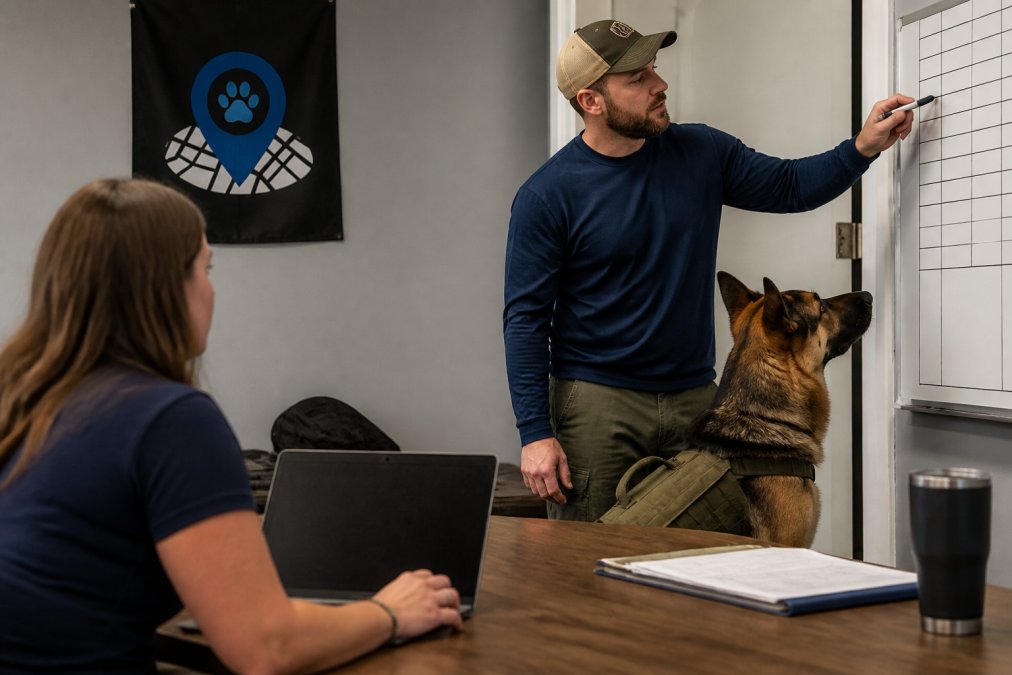
A K9 compliance software demo is a live, guided walkthrough using scenarios from your own unit, typically 30 to 45 minutes. The vendor shows how a handler logs a deployment, how a supervisor reviews it, and how a report gets exported for court or command staff. Watch whether the session is scripted or responsive, a good demo adapts to your questions in real time.
Questions to Ask Before the Demo
Bring these to the call, and write down the answers:
- Does the platform track training, deployments, and certifications in one place, or are those separate modules?
- How does supervisor oversight work? Can a sergeant review and sign off on entries?
- What does the audit trail look like if a record is edited after the fact?
- Can reports be exported in a format a prosecutor or command staff will accept?
- Does the system align with ANSI 076 standards for certification visibility?
- What does onboarding and training support actually include?
Features to Test in the Live Session
Do not just watch. Ask the presenter to run your scenario: a real deployment, a certification about to lapse, and a training session needing a supervisor's signature. Then count the clicks. Trakker builds around exactly this workflow, training, deployments, and certifications in one centralized location, with court-ready reports from the same system.
| What to Test | Why It Matters | What Good Looks Like |
|---|---|---|
| Deployment logging | Proves what the dog did and when | Entry takes under two minutes |
| Certification tracking | Prevents lapsed credentials | Expiration alerts appear before deadlines |
| Supervisor sign-off | Creates accountability | Review and approval in one screen |
| Report export | Court and command readiness | Clean, dated, defensible output |
| Audit trail | Survives legal challenge | Every edit shows who and when |
K9 Incident Management Software: Tracking Deployments and Use of Force
K9 incident management software captures what happened in the field: the deployment, the find, the apprehension, and any use of force. This is the record that gets subpoenaed. Deployment logs should capture the date, location, handler, dog, search type, and outcome. For SAR, that means the search area, tasking, conditions, and outcome, including negative searches, which matter as much as finds.
How K9 Records Connect to Your Agency's Existing Systems
This is the question most demo guides never ask, and it determines whether a platform survives contact with your IT department. A K9 records platform rarely replaces your CAD or RMS, it sits alongside them and must exchange information cleanly. Before your demo, find out what your agency runs and bring those names to the call:
- CAD (Computer-Aided Dispatch): generates incident numbers and call times. Your deployment log should reference the CAD incident number so a deployment ties back to the original call without retyping details.
- RMS (Records Management System): the system of record for case reports. If a K9 find becomes part of a case file, the K9 record must be exportable in a format the RMS entry can reference.
- Evidence and property systems: if the dog located a collected item, the K9 record and evidence chain should point at each other.
- Training and certification systems: K9-specific certifications may need to appear in both the LMS and the K9 platform.
Ask the vendor three specific questions:
- Can a K9 entry reference an external incident or case number as a structured field, not just pasted text?
- What export formats are supported, and are they formats your RMS or prosecutor's office will accept?
- If your agency's systems change, how much of the K9 platform's configuration is under your control versus the vendor's?
What a Defensible Deployment Entry Looks Like
A complete entry answers what a defense attorney, supervisor, or claims investigator will ask months later:
- Who was the handler, and which dog was deployed?
- What was the date, time, and location, tied to an incident number?
- What was the tasking or call type?
- What did the dog do, in sequence?
- What was the outcome, including a negative result?
- Was force used, what kind, and at what point?
- Who reviewed and approved the entry, and when?
| What to Test | Why It Matters | What Good Looks Like |
|---|---|---|
| Deployment logging | Proves what the dog did and when | Entry takes under two minutes |
| Incident number reference | Ties the K9 record to the case file | Structured field, not pasted text |
| Certification tracking | Prevents lapsed credentials | Expiration alerts appear before deadlines |
| Supervisor sign-off | Creates accountability | Review and approval in one screen |
| Report export | Court and command readiness | Clean, dated, defensible output |
| Audit trail | Survives legal challenge | Every edit shows who and when |
Best Practices for K9 Record Keeping in a Digital System
The habits that make paper records defensible make digital records defensible too, and the software should make those habits easier.
- Log entries the same shift they happen, not at week's end.
- Use consistent categories for deployment types so searches and audits work.
- Attach supporting files, like vet records or certification scans, to the right entry.
- Review entries at the supervisor level on a set schedule.
- Let a cloud-based platform handle retention.
Court-Ready K9 Training Reports and Certification Tracking
A court-ready report is one that a prosecutor can hand to a judge without a handler standing next to it explaining what it means. It shows the training history, the certification status, and the deployment record in a format that stands on its own.
How to Prepare Your Team for the Software Transition
The software is the easy part. Getting a unit of handlers to use it consistently is the real work, and it starts before the demo. Most guides stop at "pick a champion and train everyone", which skips the part that actually stalls rollouts: deciding what data moves, in what order, and what happens to the records you leave behind.
Step 1: Name a Rollout Lead and a Backup
Pick one person to own the migration, usually a supervisor or training coordinator, and name a backup who can cover when they are on shift or deployed. A single point of contact who goes on a two-week assignment is how migrations lose momentum.
Step 2: Inventory What You Actually Have
Before you move anything, list every place a K9 record currently lives:
- Paper training logs and binders
- Spreadsheets maintained by individual handlers
- Certification scans in a shared drive or email folder
- Veterinary records from one or more clinics
- Deployment notes in a CAD or RMS export
- Text messages and photos documenting field activity that were never filed
Step 3: Decide What Moves and What Stays Archived
You do not need to migrate twenty years of history. A workable rule:
- Move forward: active certifications, current training cycles, and any deployment or incident record tied to an open case, claim, or investigation.
- Archive in place: closed historical records past their retention window. Keep the original storage, document where it is, and note the governing retention schedule.
- Do not bulk-import: scanned PDFs of old logs. They add volume without searchable structure and can imply a record is complete when pages are missing.
Step 4: Map Fields Before You Enter Data
This step separates a clean migration from a mess. Map each column in your current spreadsheet or log to a field in the new system. Where a category does not exist, decide now whether to change your category or request a custom field. A common pattern: a unit tracks "search type" with a dozen free-text entries meaning the same three things.
Step 5: Run a Parallel Period
Do not cut over on a Monday and hope. Run the new system alongside your existing process for one full training cycle and at least one live deployment. Log the same event in both places and compare outputs. If the new report does not match what you would have produced by hand, find out why before retiring the old process.
Step 6: Train on Scenarios, Not Screens
A walkthrough of every menu option does not stick. Run the unit through the three tasks they will do most: log a deployment, attach a certification, and pull a report for a supervisor. Have each handler do it on their own device, not watch someone else on a projector. Expect resistance from the handler who has done it the old way for fifteen years, the answer is showing them that logging a deployment takes two minutes and generates a report they no longer build by hand.
A practical migration checklist:
- Assign a rollout lead and a backup
- Inventory every location a K9 record currently lives
- Confirm the retention schedule that governs historical records
- Decide what moves forward and what stays archived in place
- Map current fields to platform fields and resolve duplicates
- Export current certifications and note expiration dates
- Run one full training cycle and one live deployment in parallel
- Train each handler on their own device using real scenarios
- Review the first month of entries together as a team
Frequently Asked Questions
What features are essential for K9 unit compliance software?
Look for training records, deployment logs, certification tracking, and canine health records in one place. The system should generate court-ready K9 training reports and maintain an audit trail for every entry. Supervisor oversight tools and automated alerts for expiring certifications matter too. K9 compliance software built for law enforcement, not generic business tools, will include incident documentation and use of force fields that hold up in legal proceedings.
How does digital record-keeping improve K9 unit liability protection?
Digital records create a timestamped audit trail that paper logs cannot match. When every training session, deployment, and certification is logged with a date and handler name, your agency can produce court-ready documentation on short notice. Best practices for K9 record keeping include capturing supervisor sign-offs and veterinary history in the same system. If a case challenges your unit's training standards, a complete digital record is far harder to dispute than a handwritten log.
What should a K9 unit look for during a software demonstration?
Ask the vendor to show how their K9 incident management software handles a real scenario: a deployment that ends in an arrest and a use of force report. Watch how fast a handler can enter data and how the system routes it to a supervisor. Request a sample court-ready report. Confirm the platform supports the ANSI 076 training standards. If the demo only shows generic dashboards without K9-specific fields, the tool was not built for your unit.
How do you prepare your team for a K9 software transition?
Start with a small pilot group of two or three handlers before rolling out agency-wide. Migrate your most recent 12 months of training records first so the team sees familiar data in the new system. Schedule hands-on sessions where handlers enter their own deployment logs, not just watch a trainer click through screens. Assign one supervisor as the internal point of contact. Most resistance fades once handlers see how much faster reporting becomes.